See trouble
coming.

A tiny tray monitor for Windows that watches RAM and disk, warns before your machine grinds, and knows which apps to blame.

No cloud, no account, no setup. Install it, forget it, and get a quiet heads-up before things get slow.

Download for Windows Free · Windows 10 & 11 · auto-updates itself

Quiet until
it matters.

Basic Monitor samples your system in the background and only speaks up when something is actually about to go wrong.

Live tray readout

The tray icon is the meter: a colour-coded arc of your RAM. Hover for the exact numbers, click for the full dashboard.

Early warnings

A heads-up when RAM, committed memory, or disk crosses the line, before the machine starts to crawl. Warnings come with a copyable fix prompt.

Disk trend alerts

Something quietly eating your drive? It notices sudden drops, not just low space, and tells you how many GB vanished in the last hour.

7-day memory hogs

Every app's peak memory over the last week, ranked. When your laptop feels slow, you know exactly which app to blame.

One-click cleanups

Empty the recycle bin, clear temp files, purge dev caches. Safe operations only, nothing that can break your system.

Ready prompts for Claude

Curated cleanup prompts, one Copy button away. Paste into Claude Code to free RAM, reclaim disk, or hunt down space hogs.

One dark dashboard,
the whole picture.

The Dashboard

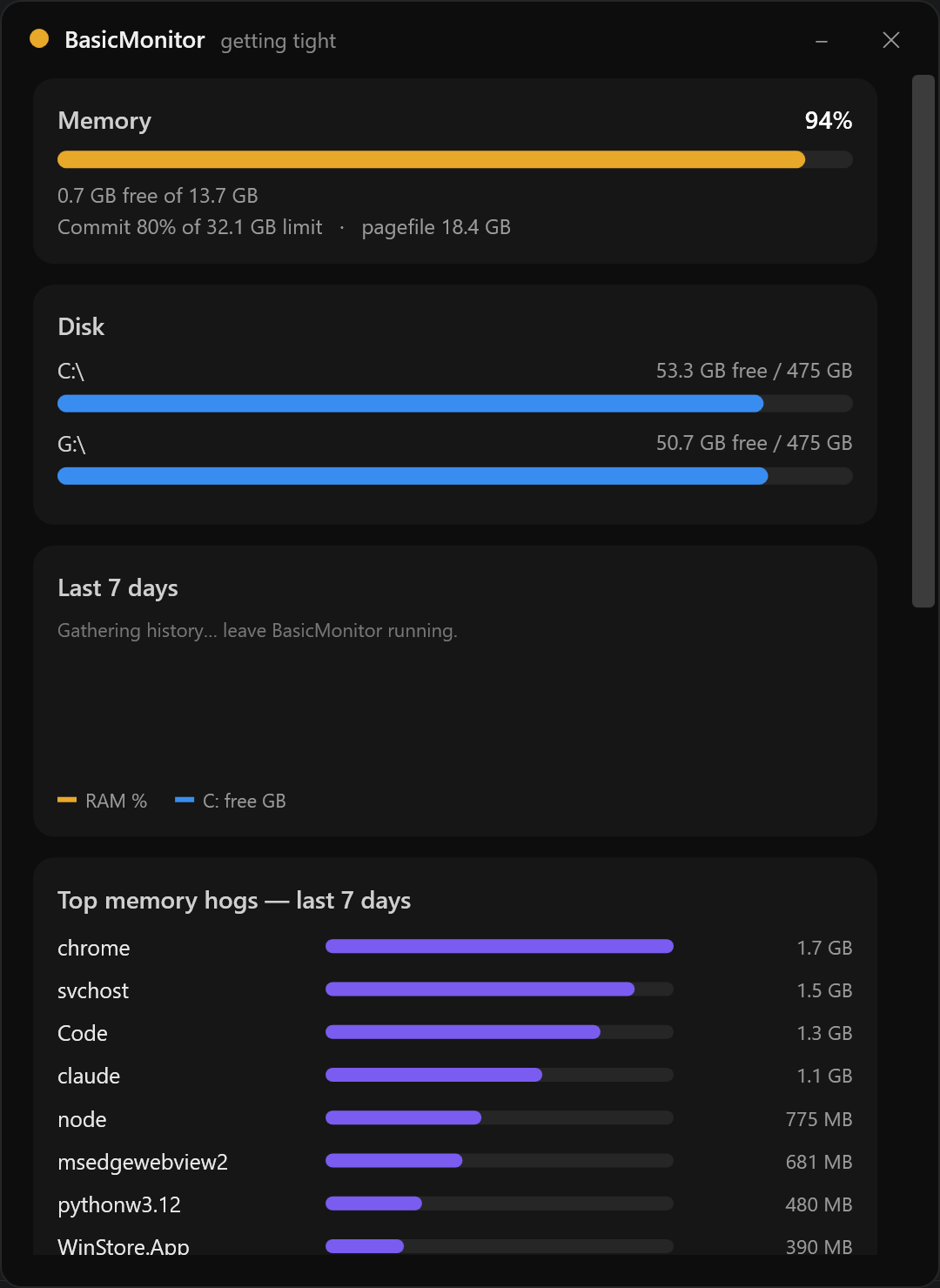
One click on the tray icon. Live memory and disk, a 7-day history, the week's worst memory hogs, safe cleanups, and ready prompts for Claude.

Basic Monitor dashboard with live memory, disks, and the week's top memory hogs
Live memory, disks, and the week's top hogs
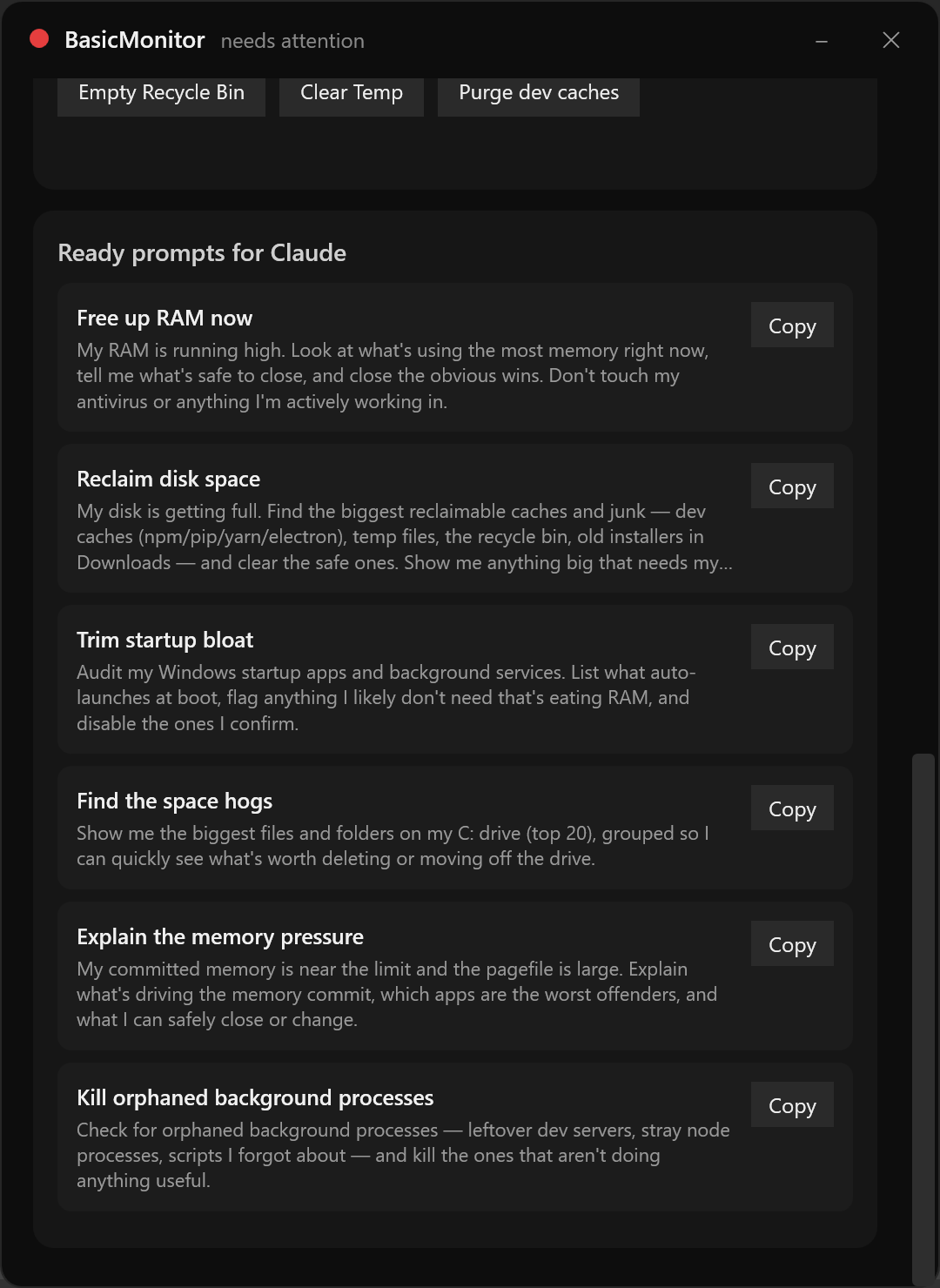
Basic Monitor one-click cleanup buttons and ready prompts for Claude
Safe cleanups and copy-paste prompts for Claude

From installer
to guardian in
under a minute.

01

Download the installer

One small .exe. Run it and Basic Monitor appears in your tray, already watching.

02

It lives in your tray

The icon stays colour-coded: green when healthy, amber when tight, red when critical. Left-click opens the dashboard.

03

It warns you early

When memory or disk heads for trouble, a small popup explains what is wrong and hands you a fix prompt to copy.

04

Auto-updates silently

New versions download and install themselves in the background. No prompts, no interruptions.